Quantfolio
How it works
Wealth managersHybrid advisory for private banking at scaleBanksAdvice and savings across the retail bankInsuranceSavings and pension products, automated
PartnersBlogBook a demo
How it works
Who it's for
Wealth managersBanksInsurance
PartnersBlogBook a demo
Quantfolio
Company
AboutContactBook a demoPartners
Who it's for
Wealth managersBanksInsurance
Resources
How it worksAIBlogPrivacy PolicyTerms of Use
© 2026 Quantfolio AS·Org. nr. 915 210 600·Page updated 28 September 2026
FeaturesPDF templates
  • Overview
  • The platform
  • Clients
  • Flows
  • Investment engine
  • PDF templates
    • Introduction & purpose
    • Commonly used templates
    • Signing
  • Accounts and orders
  • Integrations
  • AI
  • Compliance
  • 3rd party solutions
  • FAQ
  • Overview
  • The platform
    • Introduction & purpose
    • One platform — five ways to operate it
    • Get started
  • Clients
    • Client types
    • Client information
    • Client activities and data
    • Accounts and orders
    • Documents
    • Lookups and flow logic
  • Flows
    • Introduction to flows
    • How flows are built
    • Pages — internal vs public
    • Components
    • Flow examples
  • Investment engine
    • Introduction & purpose
    • Portfolio collection
    • Datasets and calculations
    • Risk models
    • Financial situation models
    • Portfolios and portfolio modes
  • PDF templates
    • Introduction & purpose
    • Commonly used templates
    • Signing
  • Accounts and orders
    • Introduction & purpose
    • Working with your other systems
  • Integrations
    • Introduction & purpose
    • Commonly used integrations
  • AI
    • Introduction & purpose
    • Guardrails
    • The different agents
    • Agent workflows
    • Agent audit trail
    • AI models
    • Quantfolio Platform MCP
    • Connect your other systems
  • Compliance
    • Introduction & purpose
    • Suitability
    • KYC and AML
    • Flow approvals
    • Flows review
    • Audit trail
  • 3rd party solutions
    • Introduction & purpose
    • Morningstar
    • Idura (formerly Criipto)
    • Trapets
    • ENIN — company lookups
    • Sumsub — identification
    • Whereby — meeting links and transcription
  • FAQ
    • Clients and your CRM
    • Product data
    • Accounts and orders
    • AI guardrails
  1. How it works
  2. PDF templates

PDF templates

Turn what a flow produced into your own documents — signed with the client's national eID.

Introduction & purpose

Document the output of your investment flows in tailored PDF templates. The template system follows the same pattern as flows — pages, sections, and customisation of how they look and feel — so the flow's output is presented visually and professionally.

Commonly used templates

Every document a flow produces is built from a template you control, and filled with the client's answers, the recommendation and the analysis behind it. The ones most firms start with:

  • Suitability report
  • Offer documents
  • Client agreements
  • Wealth plan cover
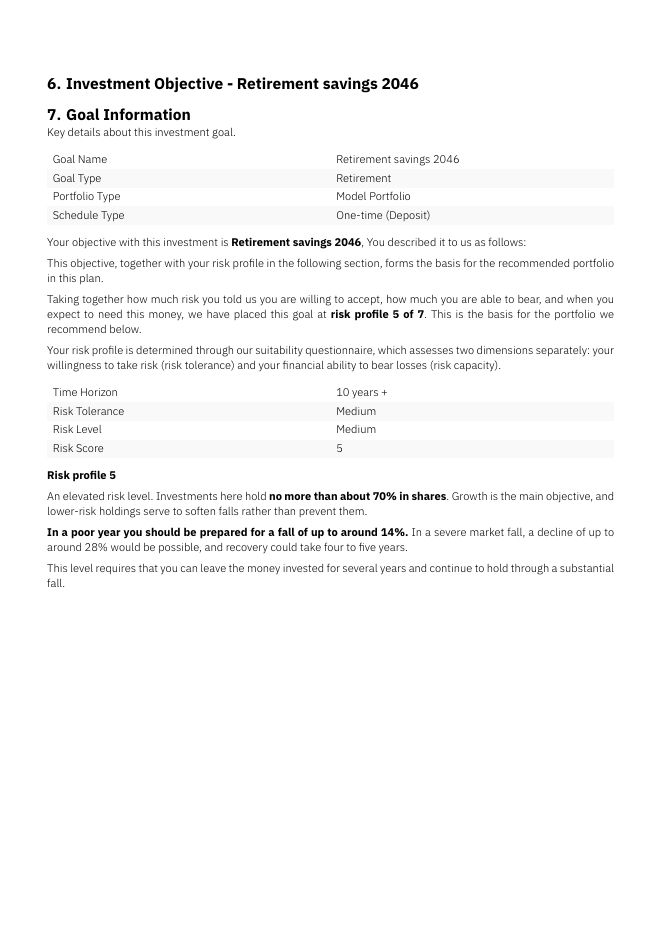
  • Goal and risk profile
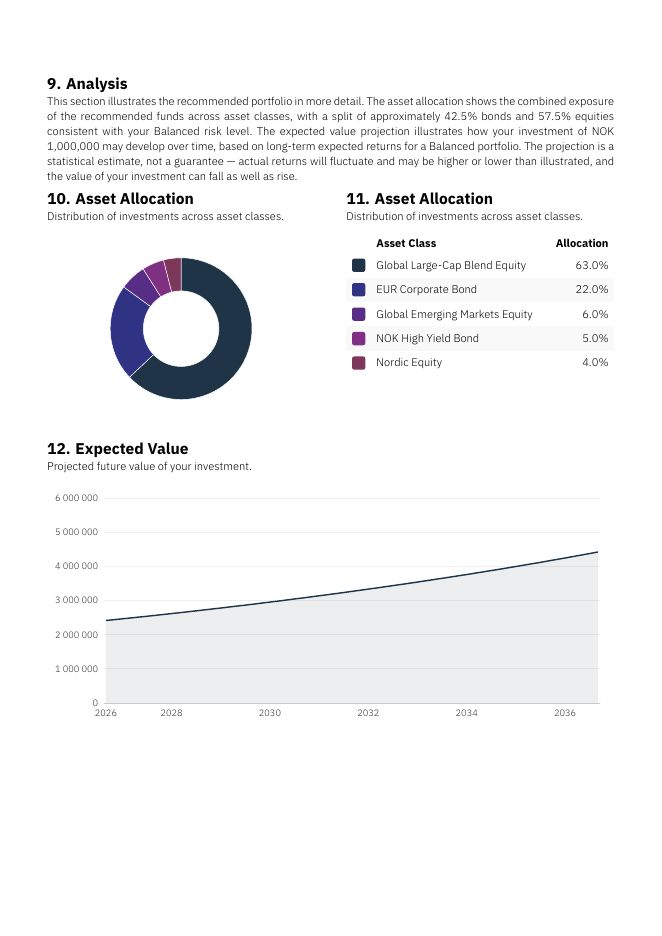
  • Portfolio and analysis
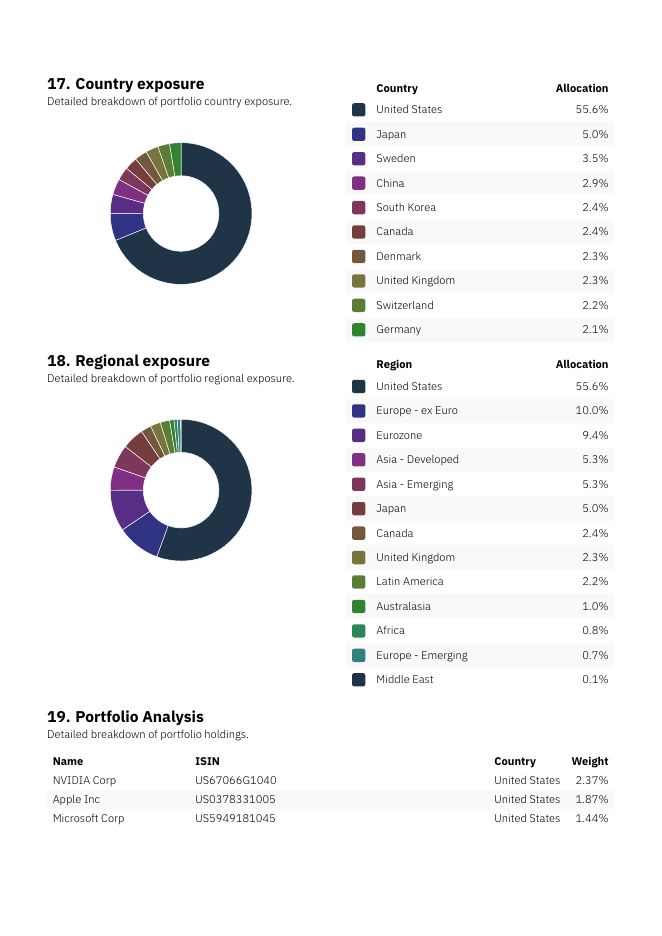
  • Exposure and holdings
Layers of a real suitability report, generated by an advice flow from a PDF template: a cover in the firm's own brand, the client's goal and risk profile, the recommended portfolio with its analysis, and the portfolio's exposure and holdings. The full report runs to 16 pages and is stored against the client.

Signing

Use the built-in signing solutions, or pull the PDFs and have them signed in your own systems. We support two ways of signing documents:

  • Manual signature — performed by the client on their own device.
  • Idura (formerly Criipto) — digital signature with the client's national eID — MitID, BankID, and the other Nordic eIDs.
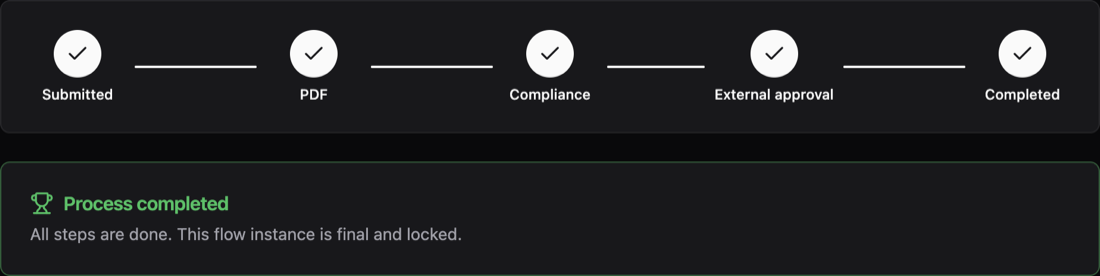
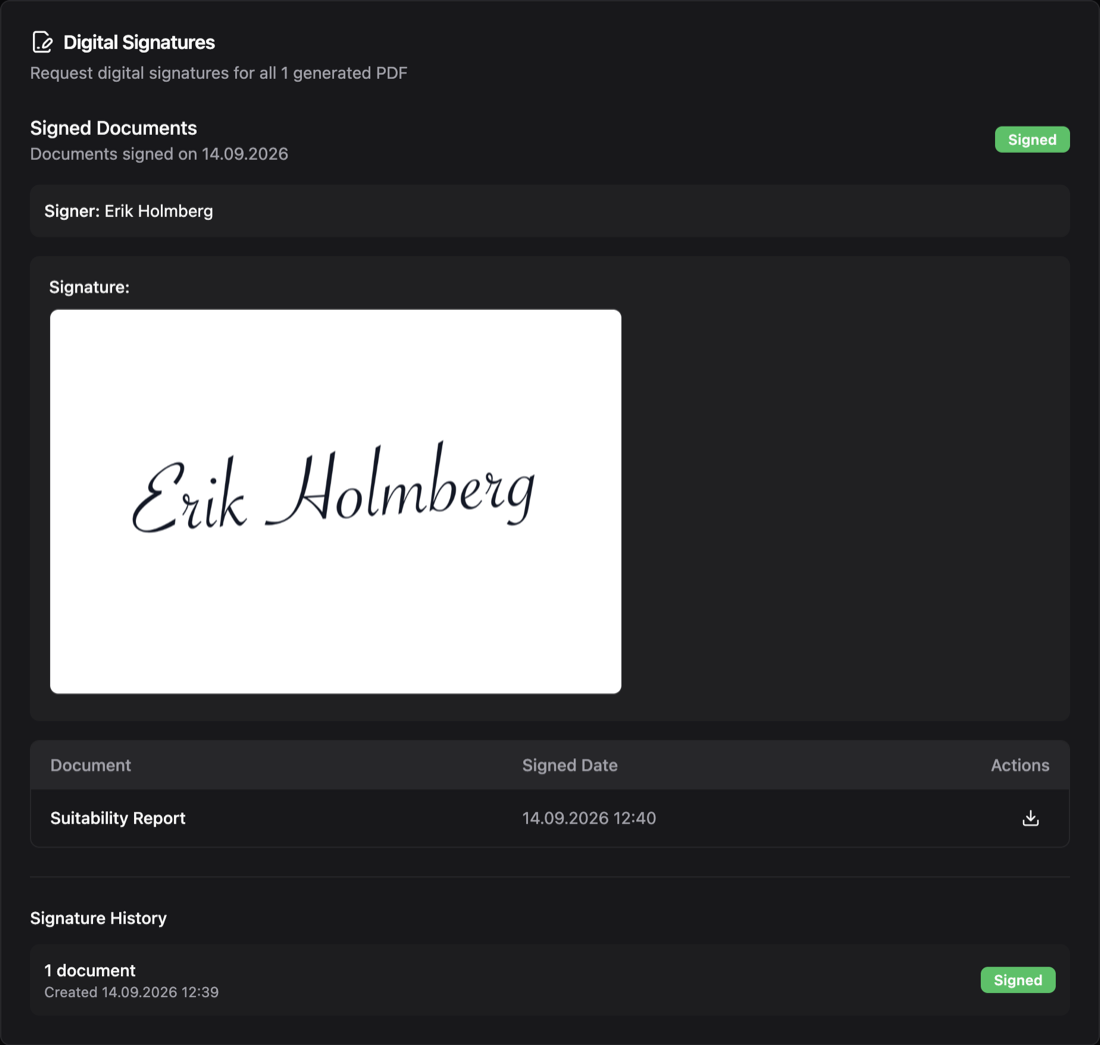
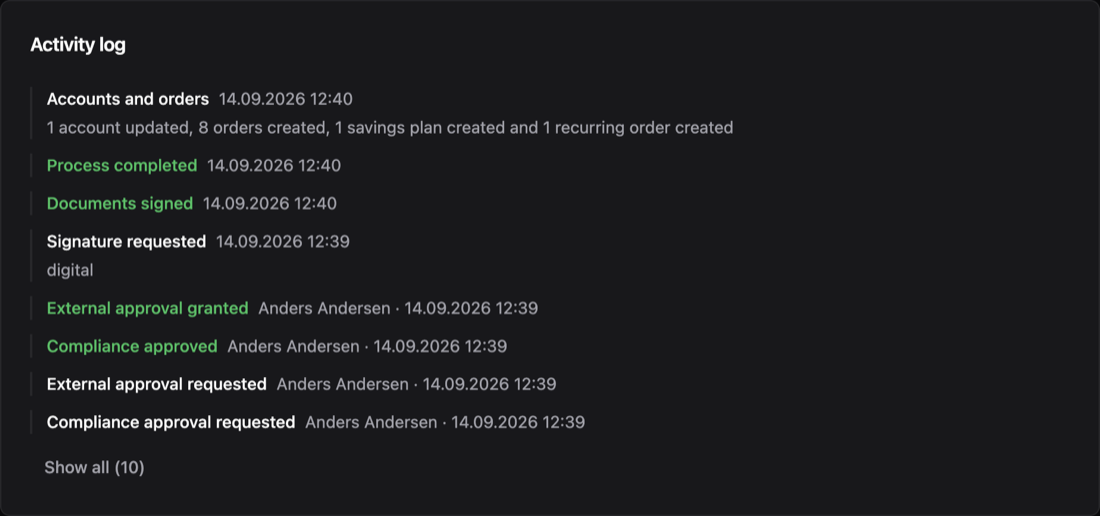
Process of an advice flow with every step completed: submitted, PDF, compliance, external approval, completed. The flow instance is final and locked.Digital signatures: the suitability report signed by Erik Holmberg on 14.09.2026, with his signature and a signed status.Activity log: signature requested digitally, documents signed, process completed, then accounts and orders: one account updated, eight orders created, one savings plan and one recurring order created.
A signing flow, from request to accounts. Across the top, the completed process of an advice flow: submitted, PDF generated, compliance and external approval, completed. Below it, the suitability report signed by the client. In front, the activity log: the signature is requested digitally, the document is signed, and the platform then updates the account and creates the orders, a savings plan and a recurring order.

Related

  • Idura — digital signing with national eID