
FeaturesFlows
Flows
Your front-office processes, made executable — and compliant whoever runs them.
Introduction to flows
A flow is one of your front-office processes, made executable. For example:
- Onboarding a client
- Delivering advice
- Updating mandates
- Running an annual review
As a flow runs, it collects the right information, produces the right documents, and applies the right checks at each step. Because compliance runs inside the flow — not as a check after it — the same process stays compliant whoever executes it:
- Your front office, through internal pages
- Your clients, through public pages
- Your systems, through the public API
- Your AI agents, through the MCP server
- Quantfolio's agents, through in-app AI
All of them work inside your guardrails.
How flows are built
Flows are built from pages and components, sequenced in the order your process requires. There is no fixed template: you decide which pages a flow contains, which components sit on each page, and the order in which they are completed.
The components come prebuilt — a suite covering what a financial institution needs, from KYC to suitability, goals and portfolios.
You can create as many flows as your organisation needs — for example, one per client type, per client process, or per market.
Pages — internal vs public
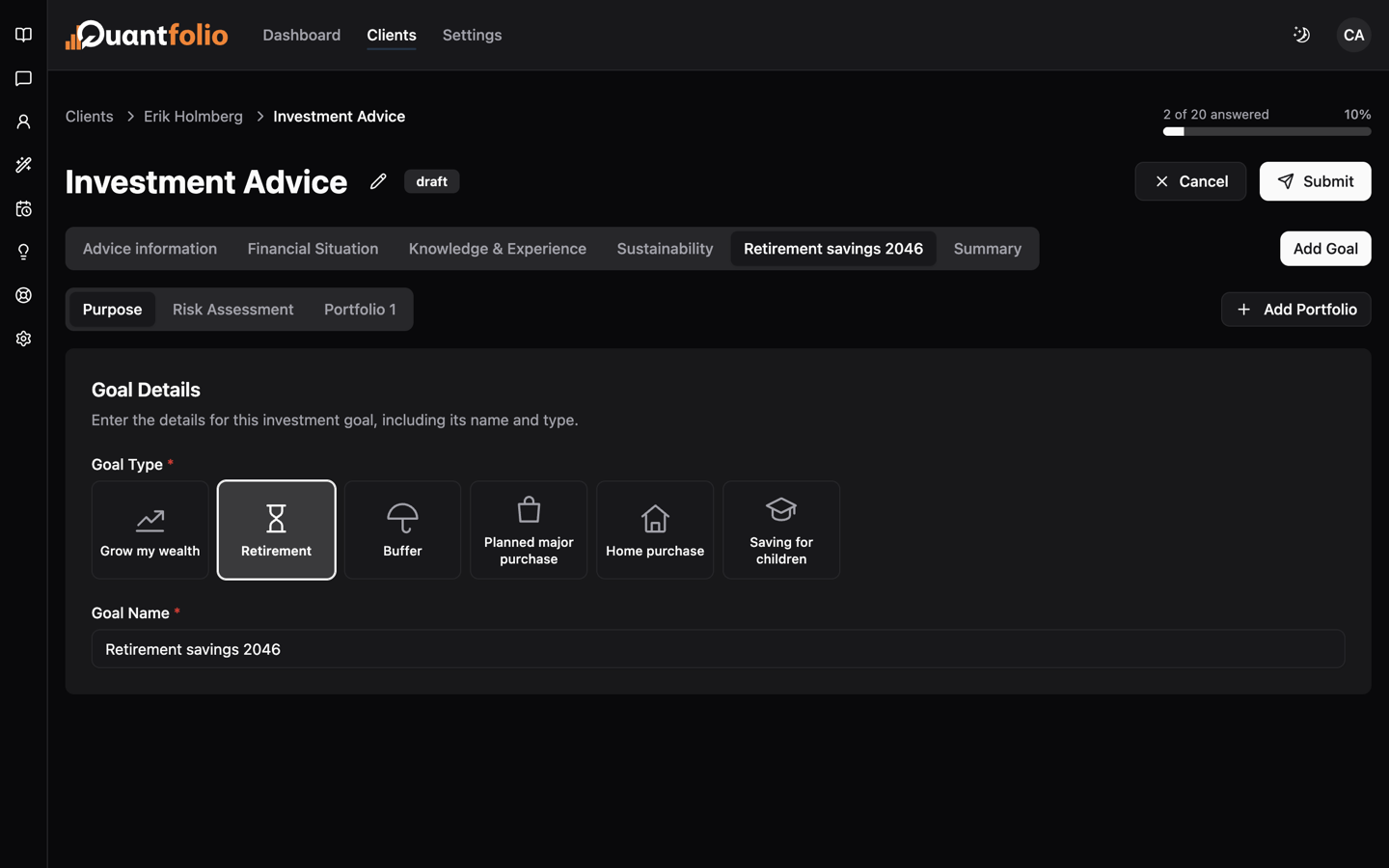
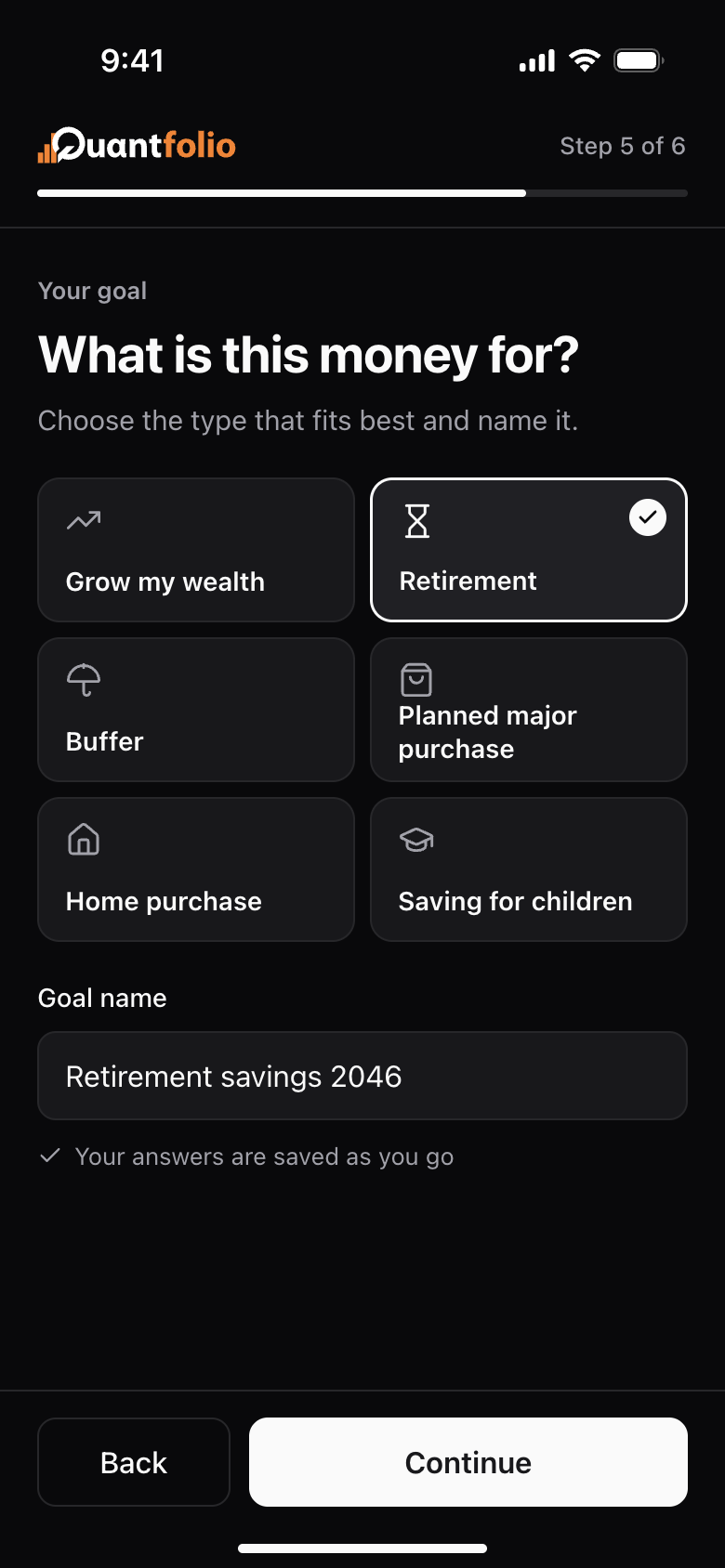
Every flow is made up of pages, and each page is one step of the process. Pages come in two types, depending on who operates them:
- Internal pages — operated inside the platform by your advisors, by AI agents, or through APIs.
- Public pages — accessible to the client, who completes them directly.
Common uses for public pages include self-service investment advisory, updating regulatory information such as KYC, and preparing ahead of a meeting.
Both page types live in the same flow, so a single process can pass between advisor and client — with the same compliance checks applying throughout.
Components
Components are the building blocks of a page. Each page in a flow is assembled from components, and each component does one job — asking a question, fetching information, or presenting content.
The platform comes with a built-in component library, grouped into five types:
- Fields — add your own custom questions to a flow.
- Client components — collect key client information, such as financial situation, preferences, experience and knowledge, PEP status, and identity verification.
- Goal components — capture information about the client's investment goals — a flow can work with a single goal or several.
- Portfolio components — define and analyse a portfolio. With multi-portfolio, a single goal can hold several portfolios, each with its own product selection and contribution frequency — monthly, quarterly, or yearly.
- Formatting components — design the flow and add content: embedded media, info modals, videos, and images.
Flow examples
Some examples of how organisations model their front-office processes as flows:
- Onboarding / KYC flow — collect required information, run PEP and sanctions screening, and produce client agreements.
- Offer flow — let advisors assemble an investment proposal in a few clicks: a portfolio built on your investment philosophy.
- Analysis flow — educate clients and explore scenarios before any advice is given.
- Order execution flow — sits outside the advisory process, with appropriateness testing and order documents built in.
- Investment advisory flow — the full MiFID II investment advisory process, from information collection to suitability.
- IDD flow — advisory on insurance-based investment products under the Insurance Distribution Directive (IDD).